P999 Game Login

LOGIN P999
p999 game login

P999 Login Problems: Quick Fix Table

What you are seeingMost likely causeFirst thing to try
SMS code never arrivesWeak signal, or a VPN is onTurn the VPN off, wait 60 seconds, request once
Says password is incorrectA saved password from another accountTap the eye icon and read what you actually typed
Screen hangs with no errorConnection dropped mid-requestSwitch between Wi-Fi and mobile data
Login button does nothingOutdated app buildUpdate, or reinstall from the official source
Locked out after several triesTemporary security cooldownStop for 10 to 15 minutes, then try once
Worked on old phone, not the new oneDevice-change verificationUse your registered number and allow extra time

P999 Login – How to Sign In and Fix Access Problems

Getting into your account should take about ten seconds. When it doesn’t, it’s usually one of a handful of specific, fixable things — not a mystery. This guide covers the whole picture: signing in normally, what to do when you can’t, and one security habit worth building before you ever complete your P999 Game login on a device you don’t fully trust.

Before You Can Sign In

Signing In to Your Account

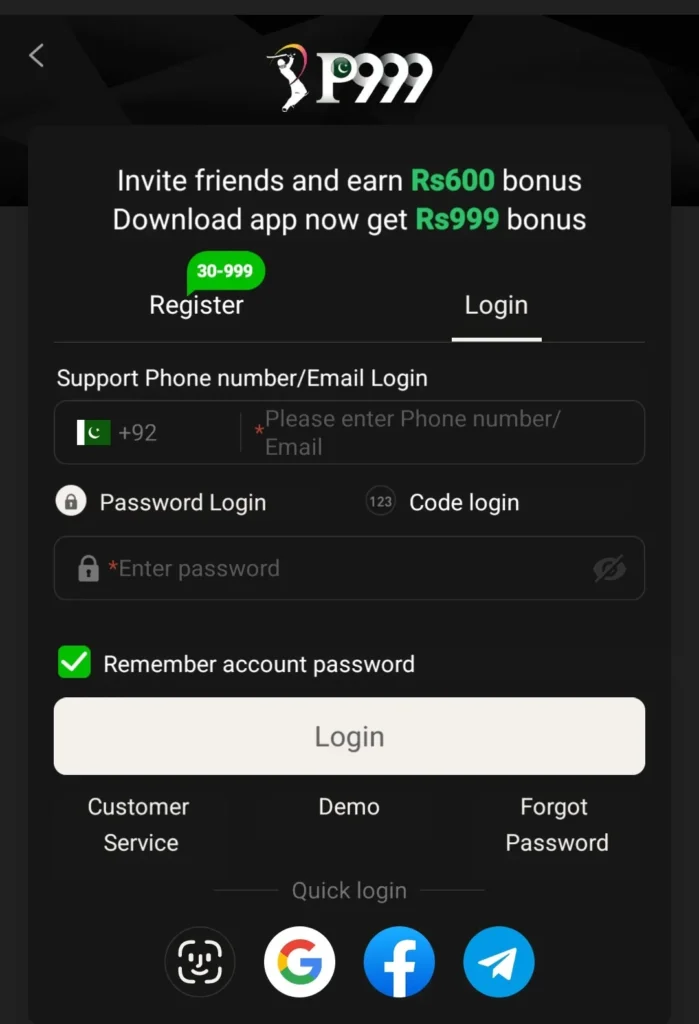
Open the app and you’ll land on the sign-in screen. Enter the phone number or username you registered with, type your password, and tap the sign-in button. That’s the entire process when everything’s working.

A few things worth knowing:
Your credentials are tied to your account, not your phone. Switch devices or reinstall the app and the same username and password get you back in — you don’t need a new account, and you shouldn’t create one. A second account made because you couldn’t get into the first is one of the messier things to untangle later, especially with a balance involved.

Keep your registered phone number current too — it’s the anchor for account recovery, and an old one turns a two-minute reset into a support ticket.

New Here? Registration Comes First

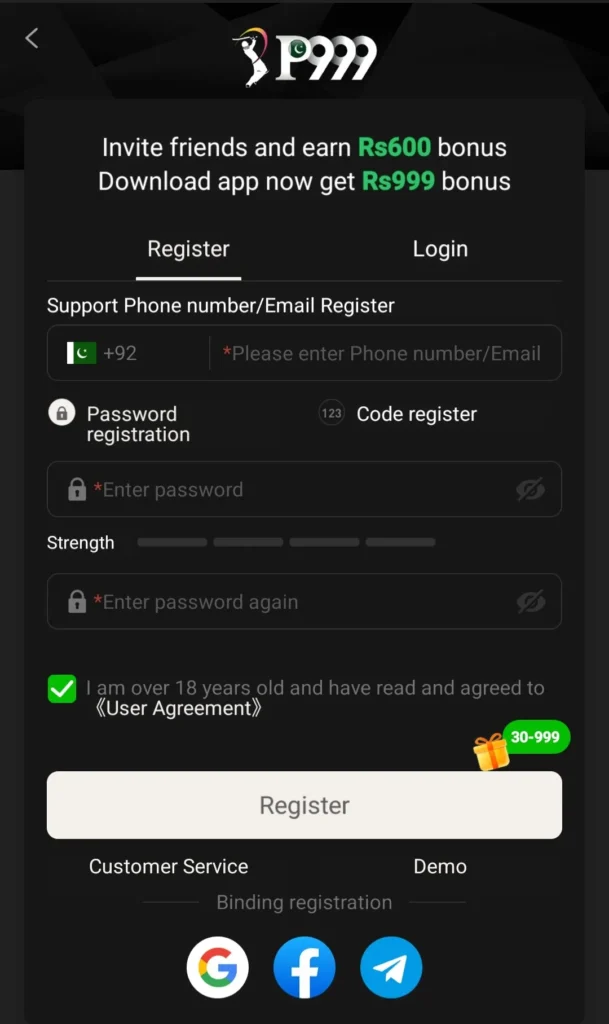
If you don’t have credentials yet, register before any of the above applies. It’s short — a phone number, a password you choose, and basic verification. Take thirty seconds over that password rather than reusing one from elsewhere; this account can hold real money, which puts it in a different category from a forum login. From then on, those same details get you in every time.

When You Can’t Get In

Most failed sign-ins come down to four things, roughly in order of how often they happen:

Wrong password

Obvious, but genuinely the most common cause — usually a saved password from a different account, or a typo you can’t see behind the dots. Tap the eye icon to reveal what you’ve actually typed before assuming something’s broken.

Forgotten password

Use the “forgot password” link on the sign-in screen. Recovery runs through your registered phone number, which is why keeping it current matters. Follow the prompts, set a new password, and you’re back in.

Connection problems

A weak or dropping signal can make a correct password look like a failure. If the screen hangs or times out rather than telling you the password is wrong, that’s usually the network, not your credentials. Switch between Wi-Fi and mobile data and try again.

An outdated app version

Occasionally an old build stops talking to the servers properly. If you’ve ruled out the first three, updating the app — or reinstalling from the official source — clears it up.

If none of that works, the issue is account-specific rather than something you can fix from your end, and support is the right next step.

How to P999 Login

P999 game login

How to Register

P999 Login

P999 Login Code Not Received

If the SMS code has not arrived, wait a full sixty seconds before requesting another. Repeated requests usually slow delivery down rather than speeding it up, and enough of them in a row will trigger a temporary cooldown on your number.

When a code genuinely fails to arrive, it is almost always one of these:

  • A VPN is running. Turn it off completely before requesting a code, not just disconnected from one server.
  • Weak or fluctuating signal. One bar is enough to load the app but not always enough to receive an SMS promptly.
  • The SIM is inactive or out of balance. An unused prepaid SIM can stop receiving messages before it stops making calls.
  • Network congestion. Delivery slows at peak evening hours. This resolves on its own.
  • The message was filtered. Check your spam or blocked-messages folder.

Restarting the phone clears most stuck-SMS situations, because it forces the handset to re-register with the network.

Entering Your Number in the Right Format

This is the quietest cause of failed logins, because nothing looks wrong on screen. P999 expects the ten digits that follow the leading zero, with no country code, no spaces and no dashes.

FormatAccepted?
3001234567Yes — this is the correct format
03001234567No — remove the leading zero
+923001234567No — remove the +92
0300 123 4567No — remove the spaces

Locked Out After Too Many Attempts

Several failed attempts in quick succession will pause login on your number for a short period. This is a security measure, not a ban, and it clears by itself. Stop trying for ten to fifteen minutes, close the app fully, then make one careful attempt rather than several fast ones.

Logging In After Changing Phone or SIM

Your account is tied to your registered mobile number, not to the handset, so a new phone does not mean a new account. Sign in with the same number you registered with and your balance and history come with you.

Expect verification to take longer than usual on a device the system has not seen before. If you have replaced the SIM but kept the number, keep it in an active phone while you sign in, since the verification code still goes to that number. If the number itself has changed, that is an account recovery matter for support rather than something you can resolve from the login screen.

Do not create a second account because the first one will not open. Two accounts on one identity is considerably harder to untangle once there is a balance involved.

The App Opens but Sticks on the Loading Screen

A login screen you never reach is a different problem from a login that fails. Work through these in order: clear the app cache, confirm you are on the current build from the download and installation guide, free up storage if the phone is nearly full, then reinstall the Android APK from this site rather than a copy saved in your downloads folder.

An old file sitting in a downloads folder is a common cause here — it installs, but it is no longer the version the servers expect. The installation walkthrough covers the full sequence if a reinstall does not go cleanly.

The Fake Login Page Problem

This is the part worth slowing down for, because it’s the one that actually costs people money.

Because P999 is popular, spoofed sign-in pages exist — built to look exactly like the real thing and capture your username and password as you type. They arrive as forwarded links, as ads, or as search results for slightly misspelled domains. The page looks right; that’s the whole point of it.

The habit that protects you is simple: only sign in through the official app or a link you’ve verified yourself. Before entering credentials anywhere unfamiliar, spend two minutes on how to confirm you’re on the official P999 link. A stolen password on a real-money account is a different problem entirely from one on a newsletter signup.

Staying Signed In Safely

Staying signed in on your own phone is reasonable. On a borrowed or shared device it isn’t — sign out fully when you’re done rather than just closing the app.

Don’t share credentials with anyone, including people claiming to be support; legitimate support will never need your password. And if you suspect someone else has your details, change your password immediately rather than waiting to see whether anything happens.

When to Stop Troubleshooting and Contact Support

If you have worked through the causes above and still cannot get in, the problem is account-specific and cannot be fixed from the login screen. That is the point to contact support rather than keep retrying, because further attempts can trigger a cooldown and make the situation harder to diagnose.

Have this ready before you get in touch:

  • The registered mobile number on the account
  • The exact wording of any error message
  • Roughly when the problem started, and whether it followed a phone, SIM or app change
  • Which fixes you have already tried

Use in-app support or the contact route on this site only. No legitimate support agent will ever ask for your password or your verification code, and any account claiming otherwise on social media is not support. If you are unsure whether a channel is genuine, the safety guide explains how to check before you share anything.

Contact support

Why is my P999 login code not coming?

Most often a VPN is running, the signal is weak, or the network is congested. Turn off any VPN, restart the phone to force it to re-register with the network, then request one code and wait sixty seconds. Repeated requests slow delivery rather than speeding it up.

What is the correct number format for P999 login?

Enter the ten digits that follow the leading zero, with no country code, spaces or dashes. So 3001234567 is correct, while 03001234567 and +923001234567 are both rejected.

Why does P999 say my password is wrong when it is correct?

Usually your phone has autofilled a saved password from a different account. Tap the eye icon to reveal what has actually been entered before assuming the account is affected. If the screen hangs instead of returning an error, that is a connection problem rather than a password problem.

I am locked out after too many login attempts. Is my account banned?

No. Several rapid failed attempts trigger a temporary security cooldown on your number. It clears by itself. Stop for ten to fifteen minutes, close the app fully, then make a single careful attempt.

Can I log in to P999 on a new phone?

Yes. Your account is tied to your registered mobile number, not the handset, so your balance and history follow you. Verification may take longer on a device the system has not seen before. Do not create a second account.

I changed my SIM. Can I still log in?

If you kept the same number, yes, but keep that SIM in an active phone because the verification code still goes to it. If the number itself has changed, that is an account recovery matter for support rather than something the login screen can resolve.

The P999 app opens but never loads past the splash screen. What now?

That is separate from a login failure. Clear the app cache, confirm you are on the current build, free up storage if the phone is nearly full, then reinstall from this site rather than from an old file in your downloads folder.

How do I know I am on the real P999 login page?

Only sign in through the official app or a link you have verified yourself. No genuine support channel will ever ask for your password or verification code outside the app. Spoofed sign-in pages are built to look identical to the real one, which is why the source of the link matters more than how the page looks.